
How to use Qwen on Ray-Ban Meta Glasses
This guide shows how to connect Ray-Ban Meta smart glasses to the Alibaba Qwen AI model through MetaLensAI. Create an Alibaba Cloud account, choose a Model Studio workspace, generate an API key, then save it with your Workspace ID in MetaLensAI to use Qwen in hands-free voice conversations, Live Vision AI, and Picture Analysis.
Before you start: Qwen requires MetaLensAI v0.17.0 or later. This guide uses the Singapore region for both the workspace and API key. If you are in mainland China, use China (Beijing) for both instead, and select the same region in MetaLensAI.
Why it’s worth setting up: Qwen’s expressive voice helps conversations feel more natural and full of personality. New Model Studio users also receive bonus tokens for eligible models in Singapore, giving you room to experiment for FREE.
1 Create an Alibaba Cloud account
- Open Alibaba Cloud registration. Choose Individual for personal use and select your actual country or region.
-
Enter your email and password, complete the requested email and phone verification, and accept the terms.
Then click Complete Sign-up and finish the process before creating an API key for Qwen.
If sign-up is incomplete, you may see this error:
Please complete the account information or finish the safe mode process before creating an API key.
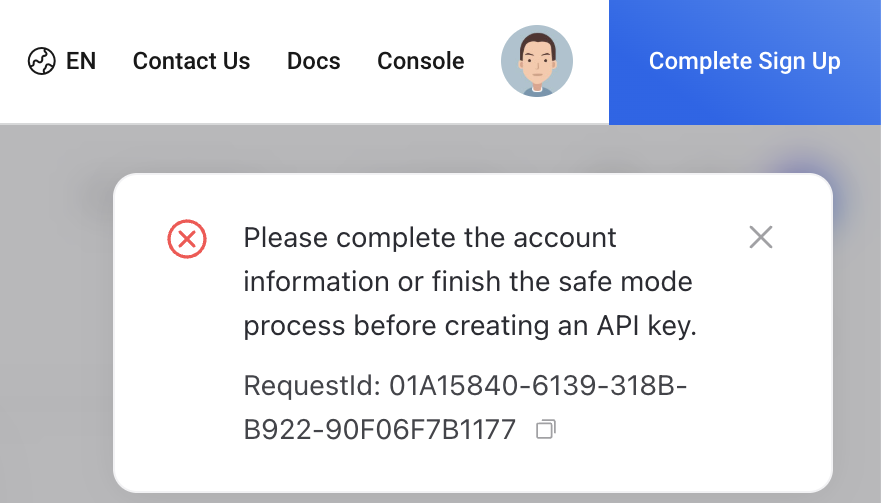
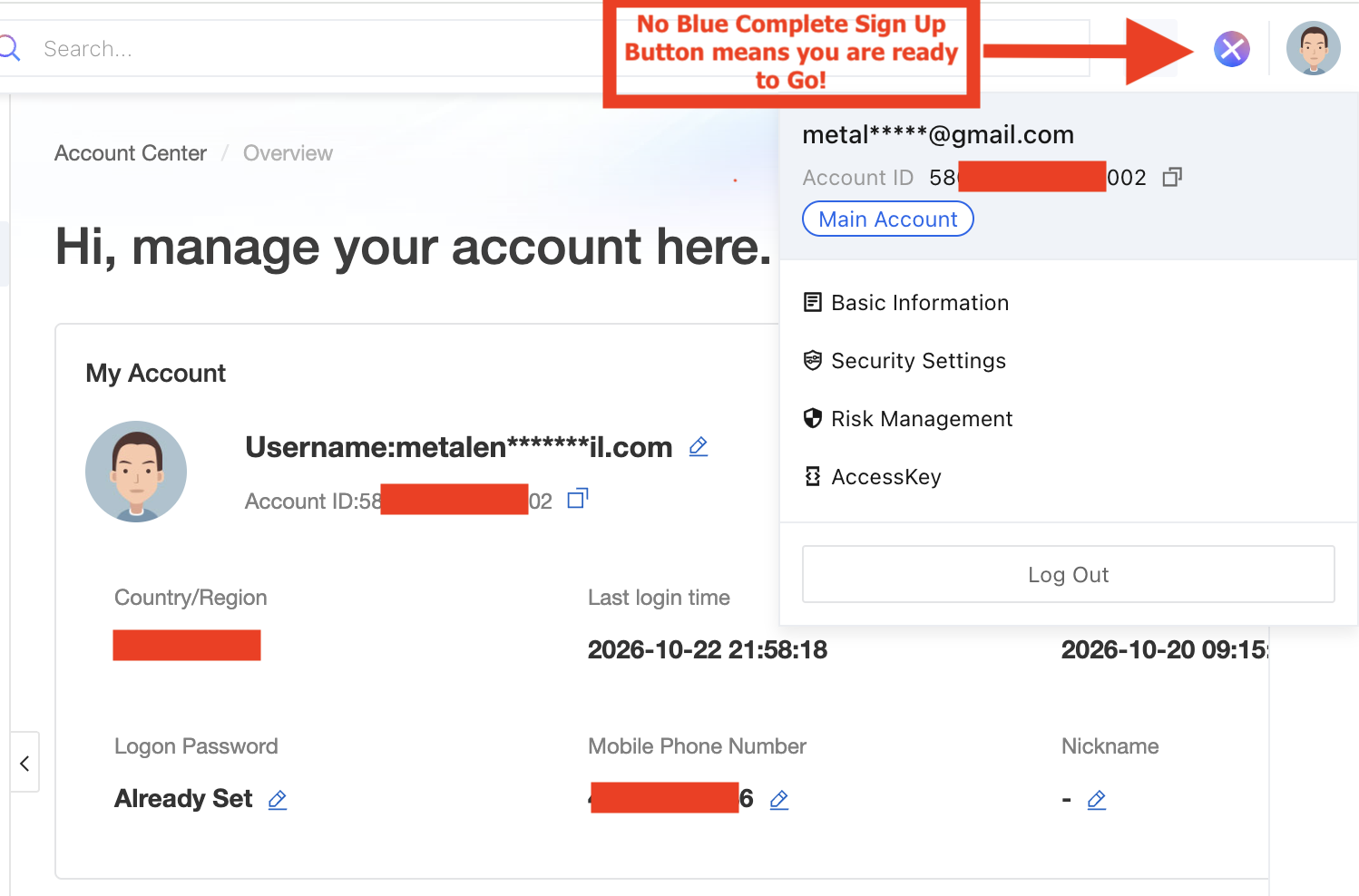
Use Complete Sign Up to finish your account setup. Click the screenshot to enlarge. 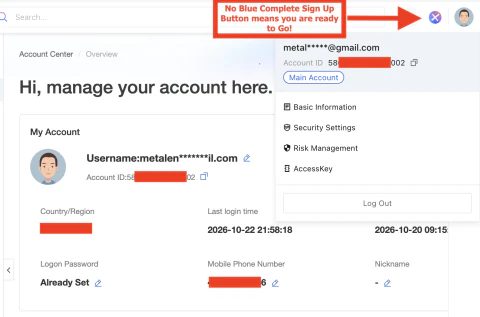
After completing sign-up, the blue Complete Sign Up button is no longer shown. Click the screenshot to enlarge. - Sign in to Model Studio — Singapore. If prompted, accept the Model Studio service agreement to activate it.
Need help? See the official account registration guide.
2 Choose a Model Studio workspace
- Open Workspace Management and confirm the region is Singapore.
- Use the default workspace, 默认业务空间 (Default Business Space), which already has model invocation enabled for all models. Alternatively, click Add Workspace, enter MetaLensAI or a name of your choice, and confirm.
- If you create your own workspace: open its Model Permission & Rate Limit Settings, enable Model Invocation for all Qwen 3.8 models, and save. Check that each model shows Authorized, as in the screenshot below.
- Copy the Workspace ID of your chosen workspace from the workspace list or Workspace Details. You will enter this ID in MetaLensAI together with the API key.
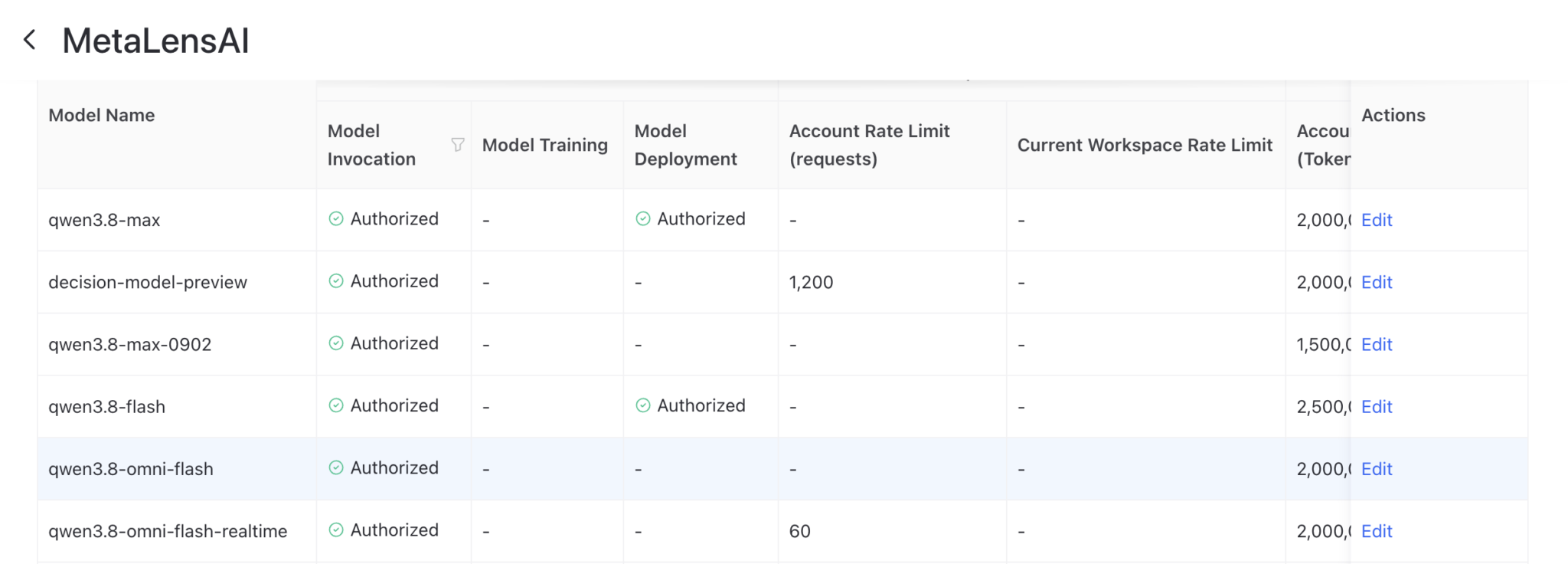
Learn more about workspace permissions.
3 Generate your API key
- Open API Key Management in Singapore and click Create API Key.
- Select the same workspace you chose in step 2 — either the default workspace or your own. Add a description such as MetaLensAI Android and use All permissions for the models authorized in this workspace.
- Confirm creation, then copy and securely save the full API key before closing the dialog. The complete key is shown only once.
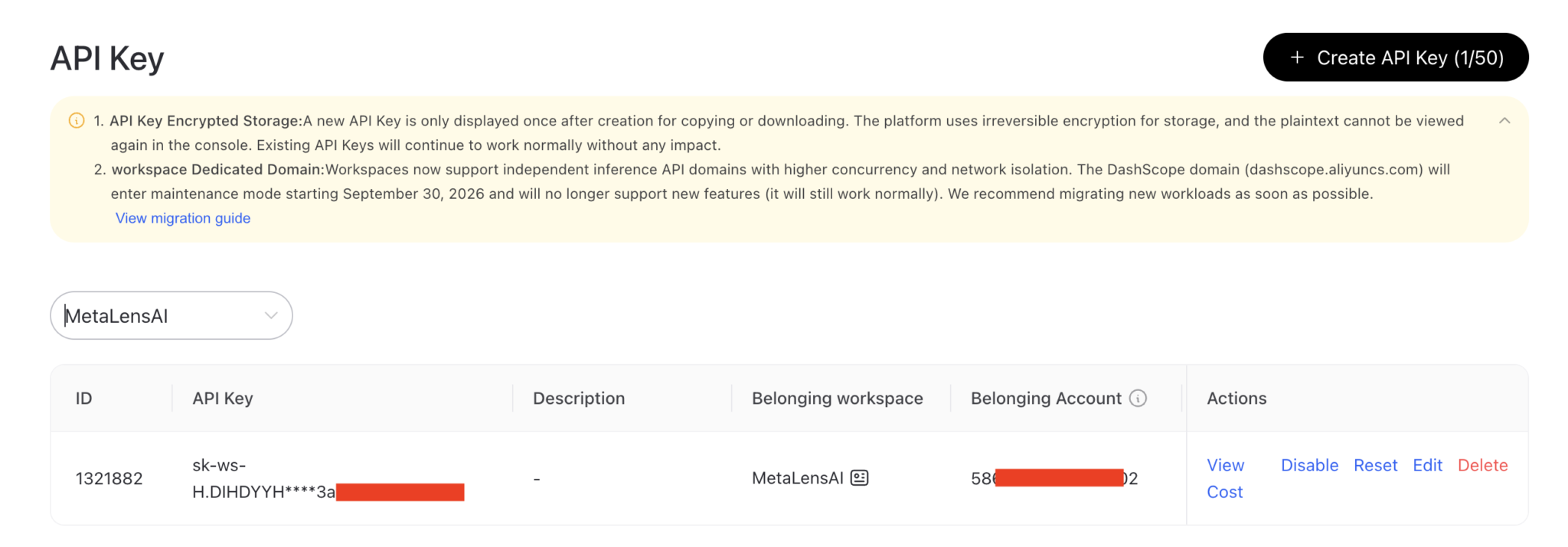
Keep your API key private. Model Studio API usage is billed separately by Alibaba Cloud.
More details: API key guide and usage and billing.
4 Connect Qwen to MetaLensAI
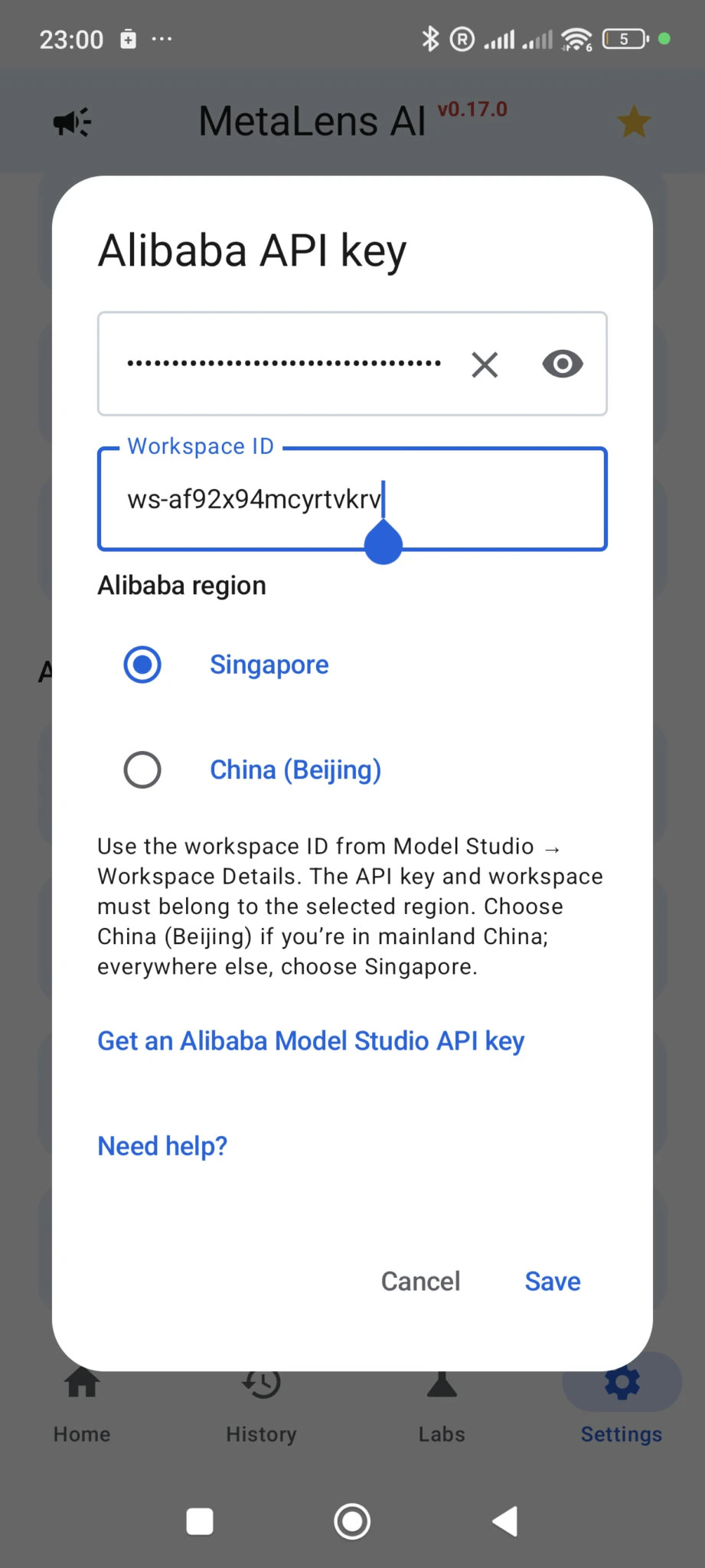
- In MetaLensAI, open Settings → AI Settings → AI Platform and choose Alibaba (Qwen).
- Open Alibaba API key, paste the key, enter the matching Workspace ID, set Alibaba region to Singapore, and save.
- Tap Check Connection. Once the check succeeds, return to Home and tap Start Conversation.
If the check fails, confirm that the key, workspace and selected region match, then check workspace model permissions and your Alibaba Cloud billing status.
Qwen setup FAQ
Can I use Qwen on Ray-Ban Meta smart glasses?
Yes. MetaLensAI v0.17.0 or later connects Qwen to Ray-Ban Meta smart glasses through the Android app. Select Alibaba as the AI Platform, enter your Model Studio API key and Workspace ID, choose the matching region, and tap Check Connection.
Do I need a MetaLensAI membership to use Qwen?
Yes. Alibaba (Qwen) is available to MetaLensAI Members only. To become a Member, open Labs → Program in the app. Model Studio API usage is billed separately by Alibaba Cloud, and new Model Studio users receive free tokens for eligible models in Singapore.
Does Qwen support Live Vision AI in MetaLensAI?
Yes. Qwen works with both voice conversations and Live Vision AI in MetaLensAI. It can also analyze single photos from your glasses in Picture Analysis.
Should I choose Singapore or China (Beijing)?
Choose Singapore if you are outside mainland China. If you are in mainland China, choose China (Beijing). Your API key, workspace, and Alibaba region in MetaLensAI must all match.
Do I need to create a new Model Studio workspace?
No. You can use the default workspace, 默认业务空间 (Default Business Space), which already has model invocation enabled. If you create your own workspace, enable Model Invocation for the Qwen 3.8 models under Model Permission & Rate Limit Settings.
Why can’t I create an Alibaba API key?
If Alibaba asks you to complete your account information or finish the safe mode process, click Complete Sign-up and finish the requested account setup before creating the key.
Which Qwen models does MetaLensAI use?
MetaLensAI uses qwen3.8-omni-flash-realtime for realtime conversations with audio and live image input, and qwen3.8-omni-flash for single-image analysis.
What should I check if the Qwen connection fails?
Confirm that the API key belongs to the Workspace ID you entered and that both use the region selected in MetaLensAI. Check that Model Invocation is Authorized for the Qwen model, then review your Alibaba Cloud account activation and billing status.